
How to Track Spending and Split Bills Using a Receipt Scanner App
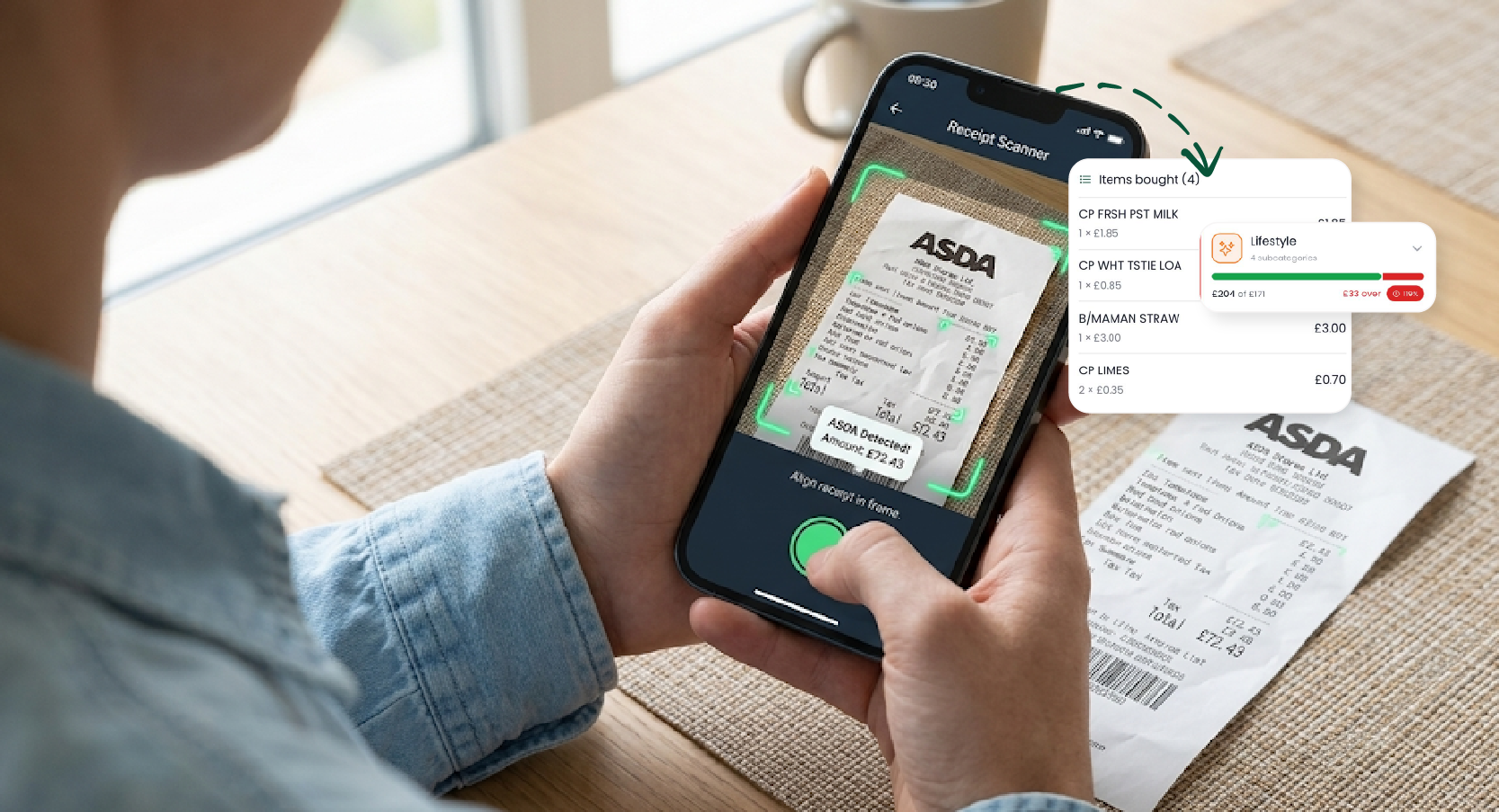
Receipt Scanner App for Tacking Expense
Managing your household budget and understanding exactly where your money goes shouldn't require keeping a shoebox full of faded paper receipts or spending hours updating a spreadsheet. In 2026, with UK inflation hovering around 2.8% and the cost of living remaining a primary concern for most households, having absolute clarity over your daily cash flow is essential.
A receipt scanner app solves the administrative burden of tracking expenses. By using artificial intelligence to extract line items from a photograph, these tools automatically categorise your spending and allow you to split shared bills with family or friends instantly. In this guide, we will explore how to automate your financial tracking, reduce wasteful spending, and manage joint expenses without the friction.
How do you track spending and split bills using a receipt scanner app?
A modern receipt scanner app uses AI to extract data like the merchant, date, individual line items, and prices directly from a photo of your receipt. Instead of lumping a supermarket trip into one vague category, it categorises exactly what you bought. If you are sharing expenses, you can assign the receipt to a shared household group. The app then calculates "who owes who" using an equal, percentage, or custom split, maintaining an unalterable audit trail of balances and settle-up payments. Tools like the Plouta app automate this entire process, helping you manage family finances, save money, and maintain accurate records for HMRC.
1. Why Manual Expense Tracking Fails
Most budgeting attempts fail because they rely on willpower and manual data entry. When you check your bank feed, a £85 charge at Tesco or Sainsbury's tells you where you shopped, but not what you bought. Was it household essentials, premium alcohol, or baby supplies?
The Reality of "Blind" Spending Behavioural finance research demonstrates that consumers spend less when their consumption is visible and itemised. When you cannot see the granular details of your spending, you are likely to underestimate your outgoings by hundreds of pounds a month.
Practical Action: Stop typing totals into a spreadsheet. Instead, use a receipt scanner that features line-item extraction. By snapping a photo immediately after a purchase, the AI (used in Plouta) breaks the receipt down line-by-line, distributing your single supermarket trip across accurate budget categories.
2. Splitting Bills Fairly Without the Friction
Whether you are splitting rent with a flatmate, sharing groceries with a partner, or dividing a restaurant bill on a group holiday, working out who owes what can be awkward. A smart receipt scanner removes the need for mental arithmetic and separate calculator apps.
A comprehensive tool will offer three ways to divide a cost:
Equal Split: Divides the total evenly by the number of people. Perfect for casual group meals where everyone shared similar dishes.
Percentage Split: Assigns a specific percentage to each person (must equal 100%). Ideal for couples splitting household bills proportional to their varying incomes.
Custom (Line-Item) Split: Assigns specific items to specific people. Perfect for when one person bought three drinks and a steak, while another only had a starter.
Expert Tip:Always agree on the split method before the spending happens. Once agreed, use an app that prevents errors by validating the maths. For instance, the app should reject a custom split if the individually assigned amounts do not match the receipt's grand total.
3. Managing Family Finances with Shared Groups
For couples and families, managing a joint budget requires transparency. Instead of one person holding the "master spreadsheet," you can create a shared digital group.
Practical Action: Set up a shared group (e.g., "FAMILY, ROOM MATES") in your financial wellness app. Assign roles such as Admin, Contributor, or Viewer. When anyone in the household buys groceries and scans the receipt, they tag it to the group. The app automatically updates the running total and adjusts the internal balances, so everyone knows exactly where the household budget stands in real time.
Real-Life Example
Problem: Mark and Emma were struggling to track their joint grocery and utility spending. Mark frequently paid for top-up shops, while Emma covered the main weekly shop. They kept losing track of who was out of pocket, leading to frustration.
Action: They created a shared household group in the Plouta app. Both started scanning their receipts immediately after leaving the shop, tagging them to the joint group.
Result: The app automatically calculated their respective contributions and kept a running settle-up ledger. They saved three hours of admin a month and identified £120 in unnecessary duplicate spending.
4. Record Keeping, HMRC, and Privacy
For self-employed individuals in the UK, maintaining accurate records is a legal requirement. Faded thermal receipts are often useless when tax season arrives.
UK Record Keeping Statistics HMRC guidelines stipulate that if you are self-employed, you must keep your business records for at least five years after the 31 January submission deadline of the relevant tax year. For standard PAYE employees, the recommendation is a minimum of 22 months.
Practical Action: Digitise your paperwork. Taking a clear photograph with a receipt scanner app creates a permanent, time-stamped digital copy that satisfies HMRC requirements. Store these scans in a secure Digital Vault to ensure they are protected from loss or physical damage.
General Usage & Benefits
Are receipt scanner apps free to use?
Many consumer receipt scanners offer a robust free tier for everyday household tracking. Premium tiers are usually reserved for advanced business exporting or enterprise-grade document retention.
How does scanning receipts save you money?
Scanning receipts forces you to confront your micro-spending. By rendering "invisible" cash transactions or contactless taps visible and categorised, you trigger loss aversion. Seeing that you spent £45 on coffee this week encourages you to adjust your habits.
What is the benefit of line-item extraction?
It provides granular data. Instead of seeing a £100 lump sum for "Tesco," you see exactly how much you spent on food, cleaning supplies, or luxury items, giving you actionable insights to change your budget.
Does tracking expenses help with UK inflation?
Yes. With UK inflation reducing your purchasing power, plugging the "leaks" in your budget frees up surplus cash. You can then route this money into high-yield savings or a Stocks and Shares ISA to protect its value.
App Features & Technology
How does a receipt scanner differ from Splitwise?
Apps like Splitwise require you to manually type in amounts to calculate IOUs. A receipt scanner like Plouta goes a step further by using AI to read the physical bill, extracting line items for precise splitting, and storing an unalterable photo as proof.
Do receipt scanners work on crumpled paper?
Modern generative AI scanners process images holistically and can usually read crumpled or slightly folded paper with high accuracy. However, heavily faded thermal paper cannot be read, so scan your receipts promptly.
What happens if a receipt scanner misreads an item?
While AI like Google's Gemini is highly accurate, errors can occasionally occur on crumpled paper. Quality apps like Plouta allow you to manually edit the extracted line items, prices, and categories before you save the transaction to your ledger.
Can I use a receipt scanner without linking my bank account?
Absolutely. For those who prefer a privacy-first approach and do not want to use Open Banking, receipt scanning combined with manual Bank Statement Uploads offers a highly secure way to track expenses.
Bill Splitting & Household Sharing
What is the best way to split a restaurant bill?
If everyone ate roughly the same amount, an equal split is fastest. If one person ordered significantly more, use a receipt scanner's custom line-item split feature to assign specific dishes to specific people for total fairness.
How do I track shared household spending?
Create a shared digital group within a family finance management app. Invite your household members as contributors. Whenever someone makes a shared purchase, they scan the receipt and tag the group, automatically updating the shared balance.
Can multiple people upload to a shared group?
Yes. In a role-based shared group, anyone designated as a Contributor or Admin can scan and tag receipts to the collective feed, instantly updating the household balance.
What happens if I get a split wrong?
You can usually edit the split method (equal, percentage, custom) on the receipt's detail page at any time, provided a formal settle-up payment hasn't already been recorded against it.
Privacy, Security & HMRC Compliance
Is it safe to share receipt photos in an app?
Yes, provided you use an app with strong data security. Look for platforms that use database-level isolation and encrypted storage. Receipts should remain private to your account unless you explicitly tag them to a shared group.
Can I scan a receipt without sharing it?
Yes. By default, all scanned receipts are private to your personal account. They are only shared if you explicitly choose to tag them to a collaborative group.
How long do I need to keep receipts in the UK?
HMRC requires self-employed individuals to keep business records for at least 5 years after the relevant 31 January tax deadline. Digital scans are legally acceptable provided they are clear and legible.
Can I export my scanned receipts for my accountant?
Yes. Most high-quality receipt scanners allow you to export your data as a structured CSV file, making it easy to hand over to an accountant for your Self Assessment.
Takeaway
Understanding your daily spending is the foundation of financial wellbeing. By upgrading from fragile paper receipts and manual spreadsheets to an AI-powered receipt scanner, you eliminate administrative friction, secure your tax records, and gain absolute clarity over your cash flow.
If you're looking for a simple way to track spending, split bills fairly without arguments, monitor your net worth, and improve your financial wellbeing, Plouta provides the tools and expert support to help you stay on track.
Take action today: scan your next receipt, plug your financial leaks and start managing your money with confidence.

Take control of your retirement, starting today.
Use Plouta to track your savings, forecast your retirement and get clear, practical advice tailored to your goals.
Disclaimer: Plouta is a financial wellness platform and does not provide regulated advice directly. All bespoke planning and professional recommendations are provided by our carefully selected, FCA-regulated partnered advisers. Tax treatment depends on your individual circumstances and legislation may change. Your capital is at risk.